
LED DISPLAY PROJECT GUIDE
Fine-Pitch LED Video Walls: What Buyers Should Compare
Buyers comparing fine-pitch LED video walls should evaluate the viewing requirement, real content, complete system scope, installation plan, service access, quality process, and quotation assumptions together. A single headline specification does not show whether an indoor LED video wall will fit the room, support the intended content, coordinate with other contractors, or remain practical to operate. The strongest comparison starts with one shared project brief and asks every supplier to respond to the same conditions.
This guide organizes the comparison around buyer decisions rather than isolated technical labels. It does not prescribe one configuration for every project. Instead, it shows what information belongs in a request for quotation, where proposals commonly differ, and which open items should be resolved before a purchase decision.
Start with the application, not the product label
Fine-pitch is a useful category during research, but the term alone does not define a finished system. A boardroom presentation wall, control environment, premium retail interior, broadcast background, and public information display can place different demands on content scale, viewing positions, operating workflow, and surrounding architecture.
Document the purpose of the display in one sentence. Then identify who will view it, what they must understand, where they will stand or sit, and who will operate it. If several use cases share one screen, rank them. A critical data view should not be treated the same as occasional decorative video.
Buyers can use the indoor LED display product overview as category context, but the quotation brief should describe the actual room and workflow. This keeps the discussion tied to the project rather than a generic product family.
Define critical viewing positions
Mark the nearest critical viewer, the normal audience zone, and the farthest position from which essential information must be understood. Distinguish a person who occasionally walks close to the display from an operator who must continuously read detailed content. Include side seating and off-center positions when those viewers matter.
Use representative content
Provide actual presentation slides, dashboards, camera feeds, campaign layouts, or information screens. Identify the smallest essential text and the number of content windows expected at one time. A supplier can respond more clearly when the content requirement is visible instead of described only as high resolution or high quality.
Compare the complete proposal on the same basis
Two commercial totals are not comparable until their scope and assumptions are aligned. One proposal may include a broader system response, while another may leave structure, control, installation, signal distribution, configuration, or service planning to other parties. Ask suppliers to organize their responses against the same checklist.
| Comparison area | Buyer input | Supplier response to request |
|---|---|---|
| Application | Room purpose, audience, content, and operating workflow | How the proposed system addresses the stated use |
| Viewing | Nearest critical, typical, and farthest viewer zones | Assumptions used for the visual configuration |
| Canvas | Usable wall area and representative source layouts | Visible dimensions, proportions, and content treatment |
| Installation | Wall conditions, access route, structure, power, and signal paths | Installation concept, interfaces, and excluded work |
| Service | Available front, rear, or adjacent access | Maintenance-access assumptions and required clearances |
| Commercial scope | Delivery location, responsibilities, and requested schedule | Included items, project-dependent items, terms, and exceptions |
Require each response to state what is included, excluded, assumed, and still awaiting confirmation. This turns a price comparison into a scope comparison and makes later coordination more predictable.
How should buyers compare visual requirements?
Begin with what the audience must see, not with a specification copied from another room. The viewing map and content samples should guide the discussion. Ask each supplier to explain how the proposal relates to the closest critical viewer, typical audience, smallest essential content, and total screen dimensions.
Screen proportions also matter. Compare the proposed canvas with the formats your team actually uses. A presentation-oriented space may prioritize common source layouts, while a multi-window environment may require a different content plan. If the proposed display proportions do not match the sources, request an explanation of cropping, scaling, unused areas, or custom content production.
For meeting rooms and presentation environments, the page covering corporate and conference LED display applications provides additional context for indoor LED wall planning. Use it to frame questions, not as a substitute for measured drawings and content files.
Ask for a content-layout review
Give each supplier the same sample files and ask for a simple layout showing how important content will occupy the proposed canvas. Review title size, body text, data labels, presenter position, camera composition, and any simultaneous windows. This exercise often reveals differences that a product name cannot.
Separate essential requirements from preferences
Create two lists. Essential requirements are conditions the system must support, such as a critical viewer reading specific information or a fixed architectural opening. Preferences are desirable but negotiable. Suppliers can then identify where a proposed choice answers a requirement and where alternatives may be considered.
Compare system scope and project interfaces
An indoor LED video wall is coordinated with structure, electrical work, signal sources, control, room finishes, and operational ownership. The request for quotation should name the responsible party for every interface. If responsibility is undecided, mark it as open rather than allowing each supplier to make a different assumption.
- Who confirms the final wall dimensions and structural conditions?
- Who provides and installs the support structure?
- Who supplies circuits, distribution, grounding coordination, and cable routes?
- Where are source devices and the control position located?
- Who handles screen installation, system configuration, and acceptance coordination?
- Who prepares content for the final canvas?
- What access is available for unloading, moving, assembling, and servicing equipment?
Compare the documents included with the proposal as well as the equipment list. Clear drawings, scope notes, assumptions, and interface responsibilities help the buyer coordinate the supplier with the integrator, contractor, architect, and internal users.
Compare installation and service planning
A proposal that fits the elevation may still conflict with the building. Record door sizes, lifts, corridors, stairs, working-hour restrictions, finished surfaces, and the route to the installation area. Show nearby cameras, loudspeakers, lighting, ventilation, millwork, signs, and other items that may affect the display or sightlines.
Service access should be considered before surrounding finishes are completed. State whether access may be available from the front, rear, or an adjacent technical space. Ask the supplier to identify the access assumptions used in the cabinet arrangement and any clearances the project team must preserve.
Do not leave these questions until after selection. Installation and service decisions can affect the structure, wall build-up, finishing sequence, and responsibilities of other trades. The proposal should show where supplier scope ends and site work begins.
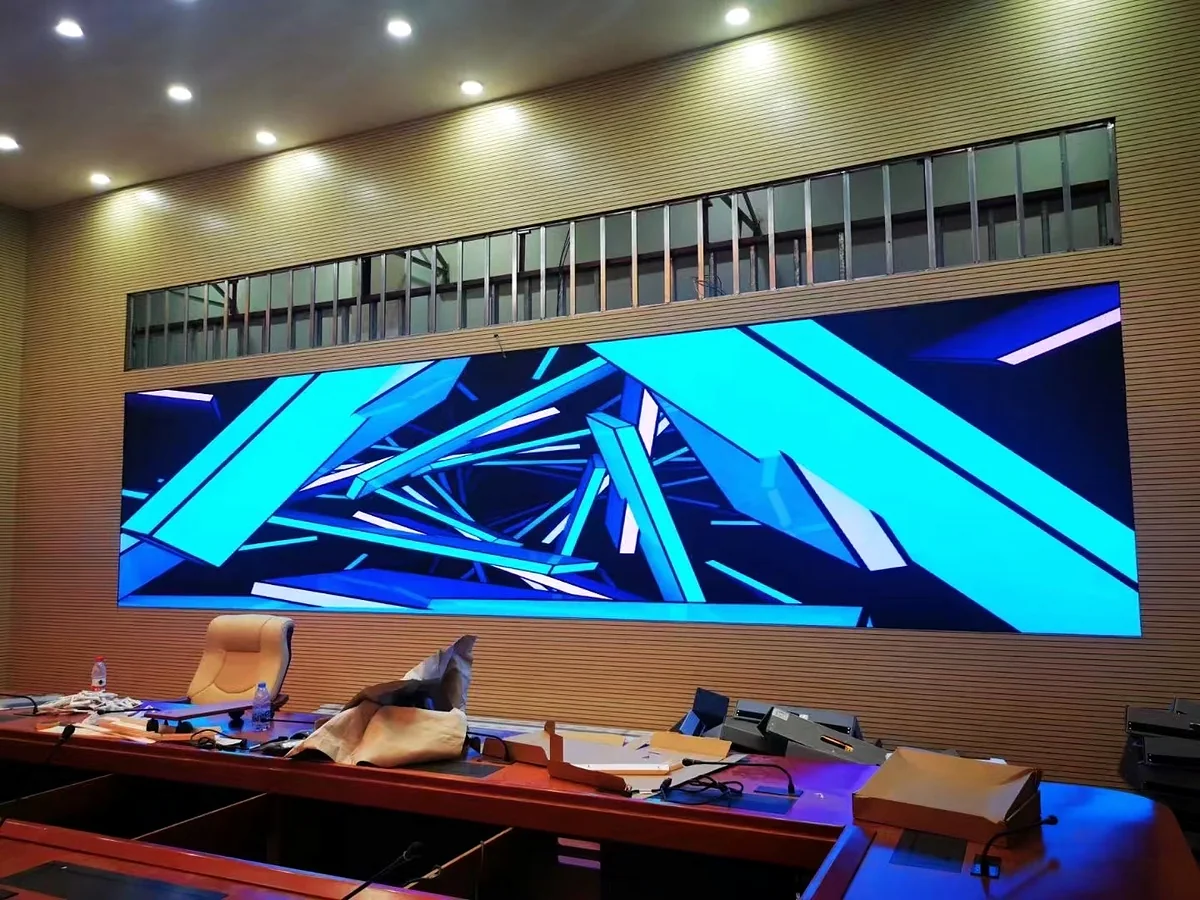
Compare manufacturing and quality evidence
Ask how the proposed system moves from production through configuration, inspection, packing, installation coordination, and acceptance. Registered MVP LED manufacturing evidence covers SMT, module production and aging, cabinet assembly, system configuration, inspection, warehousing, and packing. Buyers can review the published MVP LED quality-control process when preparing supplier questions.
Keep the evidence connected to the offered system. Request the inspection records, configuration references, packing information, and acceptance documents that will apply to the order. Avoid assuming that a general factory statement automatically answers a project-specific requirement.
Review consistency of the response
Check whether the proposed screen geometry, bill of scope, drawings, installation assumptions, and commercial quotation describe the same system. If revisions occur, confirm that every related document is updated. A clear document trail is more useful than an isolated claim.
Confirm project-dependent items
MOQ, lead time, production capacity, spare parts, and project configuration vary by product and project requirements. Ask that these items be stated for the specific proposal instead of inferred from a general article. The same applies to final logistics, site support, and responsibility boundaries.
Compare commercial terms without hidden assumptions
Commercial review should follow scope alignment. Confirm the delivery location, packaging scope, installation involvement, requested documentation, payment milestones, validity period, and open technical items. If a supplier offers an option, ask whether the base quotation remains complete without it.
MVP LED’s standard warranty baseline is two years, and final coverage is defined by the signed quotation and contract. Compare the actual coverage stated in each proposal, including scope boundaries and the process for handling a service request. Do not rely on an informal expectation when the signed documents control the project.
A useful comparison sheet includes a column for supplier exceptions and another for buyer follow-up. Resolve high-impact differences before approving the commercial total. Items that remain open should have an owner and a target date.
A practical buyer comparison checklist
- Issue one measured project brief to every supplier.
- Include viewer zones and representative content files.
- Compare visible canvas dimensions and source-layout treatment.
- Align equipment, control, structure, installation, and service scope.
- Record every site interface and responsible party.
- Review manufacturing, inspection, configuration, and packing evidence.
- Confirm project-dependent items in the specific quotation.
- Compare warranty language in the proposed contract documents.
- List exclusions, exceptions, alternatives, and unresolved assumptions.
- Approve the configuration only after technical and commercial documents agree.
This sequence helps procurement teams compare fine-pitch LED display proposals as complete project responses. It also creates a useful record for later design coordination and acceptance planning.
Frequently Asked Questions
What is the first thing to compare in fine-pitch LED video wall proposals?
First confirm that every proposal answers the same application brief. Align the room dimensions, critical viewing positions, content, visible canvas, installation conditions, service access, and scope responsibilities before comparing commercial totals.
Is one product specification enough to choose an indoor LED video wall?
No. A product specification must be reviewed with the content, screen geometry, system scope, site conditions, control workflow, service plan, supplier assumptions, and quotation terms.
What should buyers send with a request for quotation?
Send measured drawings, site photographs, viewer positions, representative content, target screen area, source-device information, access conditions, responsibility boundaries, delivery location, and the requested schedule. Clearly label preliminary information.
How should warranty be compared?
Compare the warranty language included in the specific quotation and contract, including coverage boundaries and the service-request process. The MVP LED standard baseline is two years, with final coverage defined by signed documents.
Prepare a comparable project brief
A reliable comparison begins with consistent inputs and written assumptions. Bring the room, audience, content, installation, service, quality, and commercial requirements into one brief, then ask every supplier to identify exceptions clearly.
To discuss a fine-pitch indoor project, request a project-specific review and include your drawings, viewing zones, content examples, target screen area, installation conditions, and responsibility matrix.
Article Review and Sources
Author: MVP LED Editorial Team, LED Display Product and Application Content
Reviewed by: TOM, Product Manager
Review date: August 5, 2026
Approved MVP LED sources: Indoor LED Display, Quality Control, and Warranty and Services. Company identity and project-variable records are retained in the editorial source log.