
LED DISPLAY PROJECT GUIDE
Exhibition LED Screen Content: Viewing and File Brief
Exhibition LED screen content should be designed for what visitors can see and do at each booth zone, then delivered against the final display canvas. Identify the main viewing locations, intended message, active image dimensions, source signal, playback owner and test file before the show. A beautiful desktop video can fail on a stand when text is too small, cropped by the layout or routed to the wrong screen.
Content teams often receive a rendering with a wide luminous rectangle and a request to “make it immersive.” That is not enough to build files for an installed LED system. A booth may include a main wall, reception poster units and a transparent showcase, each with a different task and viewing distance. This exhibition video wall content brief is for creative and AV teams; exact codecs, resolutions, frame rates and electrical specifications must be confirmed for the selected system rather than guessed here.
What should an exhibition LED screen content brief contain?
An exhibition LED screen content brief should connect each display zone to an audience task, viewing position and confirmed technical canvas. Record the screen’s active dimensions and pixel map from the LED supplier, the closest and priority viewing areas from the booth plan, and whether the content is a product demonstration, presentation backdrop, navigation message or ambient visual. Name the content owner, playback operator and AV integrator. Confirm source signals, orientation, aspect ratio, file handoff and any synchronization with the actual display system; do not assume a universal export specification. Prepare a representative test file early and review it through the intended playback path from the priority visitor position. The booth team should record changes when display geometry or content zones change. MVP LED’s exhibition solution asks for booth dimensions, viewing distance, content sources and camera use because those inputs affect hardware and media coordination. The written system proposal provides the final technical basis.
The MVP LED exhibition solution separates main walls, product-launch stages, transparent showcases and entrance displays. Here the focus is what the content owner must know to prepare effective files for whichever zones are actually selected.
Which visitor task should each screen serve?
A main wall can attract attention from an aisle and establish the brand. A product-demonstration screen may need legible diagrams for a smaller group close to the booth. A reception display may carry schedules or a short welcome message. Assign one primary task to each zone before producing media. A long presentation edited for a seated audience may not work for visitors who see only a few seconds while walking past.
Ask the exhibitor what action should follow the message: enter the booth, understand a product difference, find a demonstration, or recognize a brand. That goal affects content duration and information density. A screen does not become more useful because it can play more footage. Avoid filling every surface with identical animations if visitors need different information at different points.
Zone-by-zone message card
- Name the display zone and primary viewer position.
- State the single message the visitor should understand.
- Identify whether the viewer moves past or remains for a presentation.
- List the content owner, language and revision approver.
- Connect the zone to the approved screen drawing and canvas version.
This card helps the creative team distinguish a welcome loop from detailed explanatory content. It also gives the booth operator a reason to maintain different playlists rather than loading one generic file everywhere.
How do booth LED viewing distance and angle affect content?
Booth LED viewing distance matters because visitors may first see a main wall from an aisle, then stand much closer to a product screen. Use the floor plan to identify the nearest useful view and the priority view for each zone. Check nearby stands, columns, product pedestals and the people who may block a screen. Ask whether fine text, charts or demonstration footage will remain understandable from those positions. Do not invent a universal viewing-distance rule; test the intended content in the actual geometry.
Angle also changes what visitors see. A side-wall display may be encountered obliquely, while a poster unit can face traffic. A screen behind a presenter may be visible to the audience but partly hidden in camera footage. Take photographs or create view sketches from the priority positions. If content is intended for filming, share camera use with the integrator and supplier so the selected system and capture setup can be reviewed together.
What is the trade show LED content canvas?
The trade show LED content canvas is the approved active pixel layout of the selected display, including orientation and any split across multiple surfaces. It should come from the final system drawing or supplier handoff, not from a design rendering’s apparent aspect ratio. A wall assembled to a different width can crop or stretch prepared media. A creative feature with multiple faces needs each face and transition documented.
Ask the supplier and integrator to agree on native canvas dimensions, mapping, input routing and playback equipment. The designer can then prepare a test pattern with clear edges, safe margins and identifiers for each display zone. Do not state a standard file format or frame rate without the chosen controller and source workflow. A change to the cabinet layout should trigger a content-map review rather than a last-minute resizing guess.
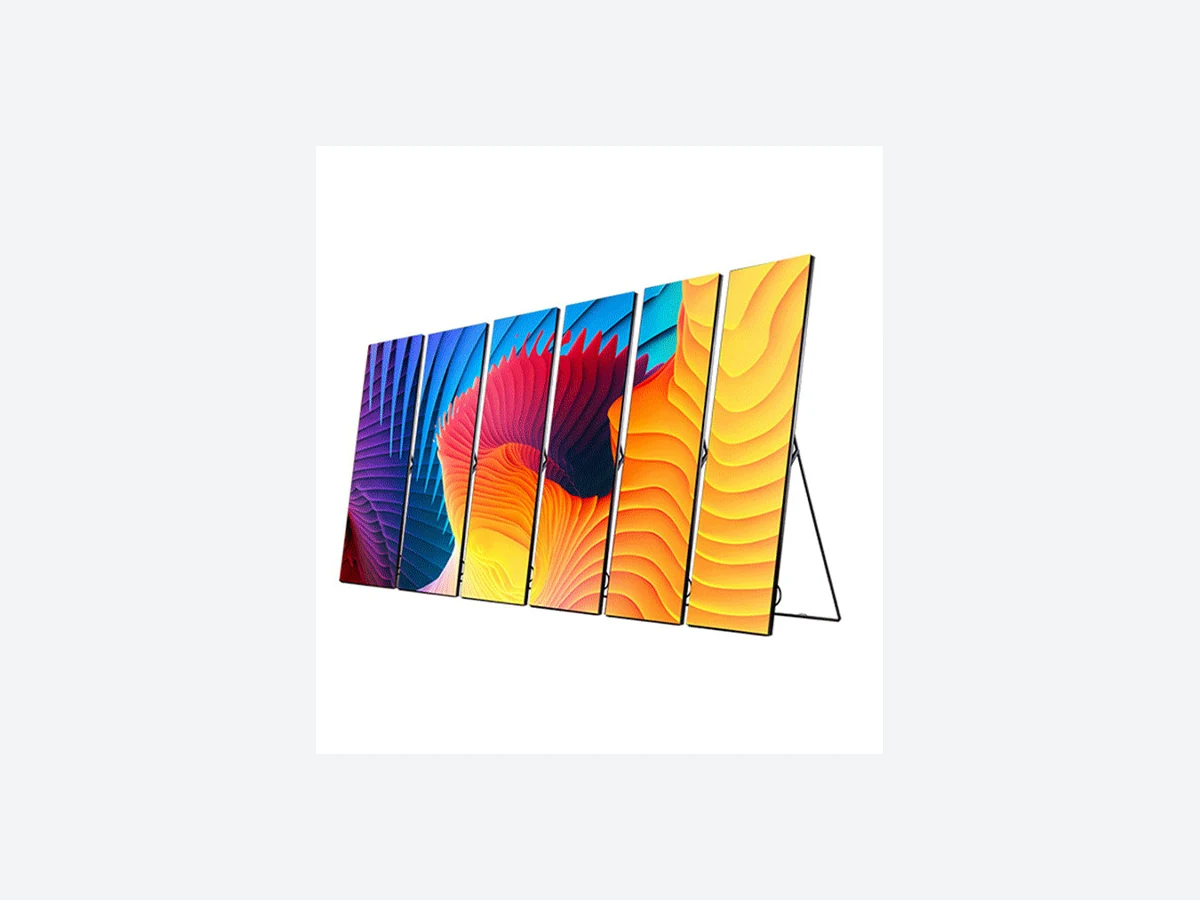
The image used here shows multiple freestanding displays carrying one visual theme. It illustrates how content can span more than one surface; it does not imply those units or that exact arrangement were installed in a particular MVP LED exhibition project.
How should source signal and playback be described?
List each source: a local media player, presentation computer, live camera, show-control feed or another approved input. Name the person who switches sources, schedules loops and recovers from a playback problem. The AV integrator should return a signal diagram showing where processing occurs and which display receives which content. The exhibitor should confirm who owns final media files and licenses.
For several screens, decide whether they need synchronized playback or independent messaging. A reception poster may continue running while the main wall switches to a live talk. Do not assume every LED surface has the same player, controller or timing. The technical handoff should state how the intended behavior will be tested before the audience arrives.
| Content question | Evidence needed | Approval owner |
|---|---|---|
| What should visitors understand? | Zone message and priority viewing point | Exhibitor or campaign owner |
| What shape is the canvas? | Final active pixel map and orientation | LED supplier and integrator |
| What plays on each surface? | Source and routing diagram | AV integrator and operator |
| How will files be delivered? | Approved export and revision process | Content producer and integrator |
| What proves it works? | Representative on-system test file | Booth team before opening |
Use the table to resolve handoffs before creative work is marked final. It is not a substitute for the actual controller specification or the booth’s operating plan.
What should the test file reveal?
A good test file includes legible labels for display zones, alignment marks, sample text at intended sizes, moving imagery and the actual presentation colors. Play it through the intended source and review from the aisle, booth entrance and nearest demonstration position. Check cropping, seam transitions, readability, color consistency and source switching. Record the current hardware and content revision so a later change can be traced.
If a test fails, assign the issue to the right owner. A wrong crop may be a content-map error, a controller setup issue or a changed display layout. A blocked view may require a location or message change rather than an equipment replacement. Testing early separates those causes while the show team still has time to respond.
How should the final file handoff be controlled?
Agree on a naming convention and approval path for final media. The content producer should identify which files belong to which screen zone and what version the operator should load. The integrator should confirm the actual export requirements for the chosen system. Store the test result and final file list with the booth build record. A last-minute “final-final” folder with ambiguous names is avoidable.
Shenzhen MVPLED Technology Co., Ltd. develops and manufactures LED display systems in Shenzhen, China. Approved process evidence covers SMT, module production and aging, cabinet assembly, system configuration, inspection, warehousing and packing. Those are hardware facts; they do not imply that MVP LED creates the exhibitor’s campaign content or owns its playback operation. MOQ, lead time, spare parts and system configuration vary by project, while the standard warranty baseline is two years with final coverage set by contract. The content handoff should be scoped separately from those commercial terms.
Frequently Asked Questions
Can a video made for a website be placed on an LED booth wall unchanged?
It may provide source footage, but the final file should be checked against the wall’s approved canvas, viewing positions, message purpose and playback system.
Who supplies the exact export specification?
The selected LED system and AV workflow determine it. Confirm controller, signal path, native canvas and playback requirements with the supplier and integrator before final export.
Should every booth screen play the same content?
Not necessarily. A main wall, demo area and reception screen can serve different visitor tasks. Choose synchronized or independent playback intentionally.
When should the content be tested?
Test a representative file before final production if possible, then test the approved final media on the installed system before the show opens.
Share content and viewing inputs with the display inquiry
Before ordering an exhibition display, send MVP LED your booth plan, sample content and priority viewing positions. Ask for the system’s active canvas and control interfaces so your creative and AV teams can prepare the correct files. A project-specific response is more reliable than assuming a generic export setting.
Article Review and Sources
Author: MVP LED Editorial Team, LED Display Product and Application Content. Reviewed by: TOM, Product Manager. Review date: November 12, 2026.
Sources: MVP LED exhibition viewing and content guidance; manufacturer role; warranty terms. Company identity and project-variable facts remain in the editorial source register.